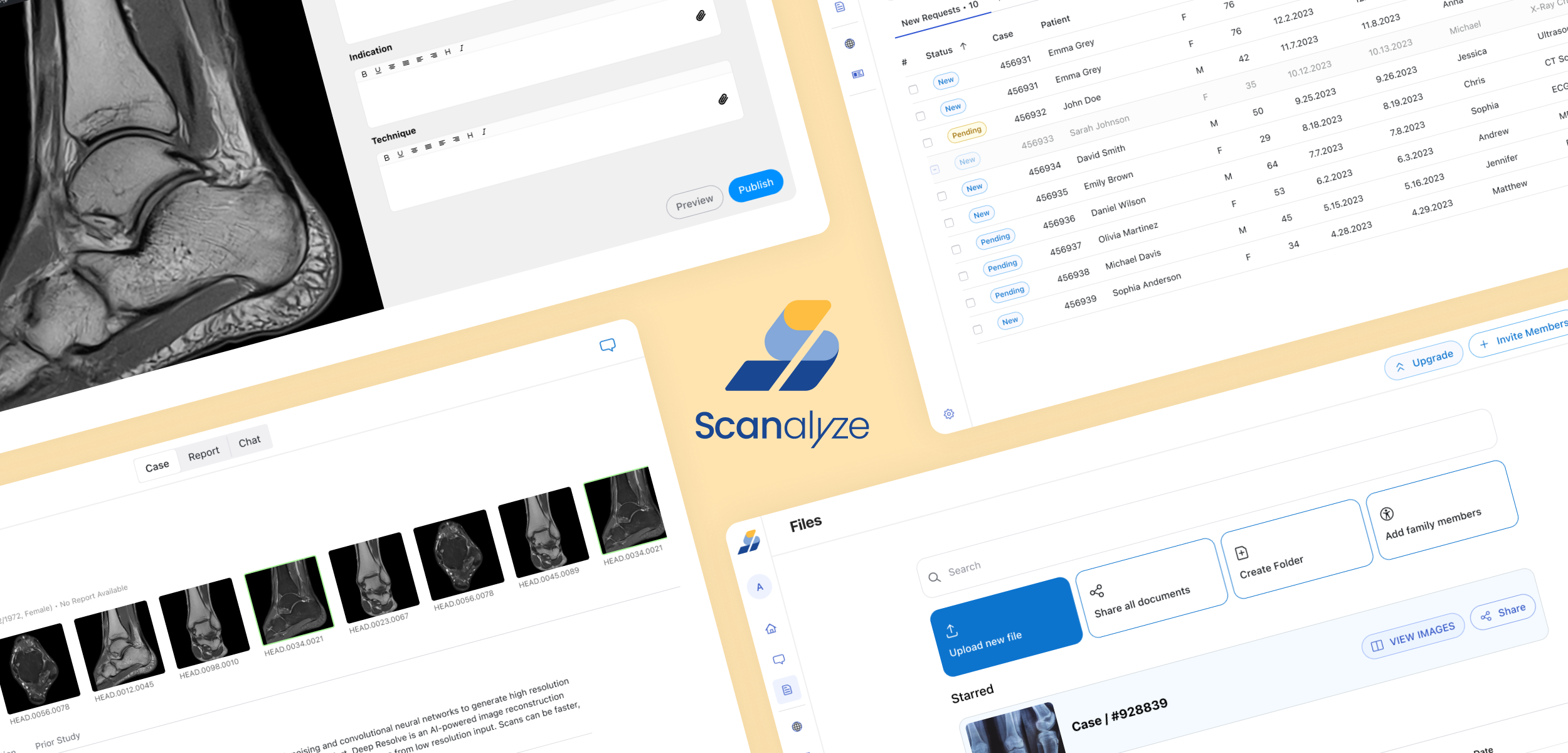
Medical Imaging Platform for Patients & Radiologists
In Saudi Arabia, patients leave hospitals carrying their medical scans on a physical CD — with no easy way to share them, no CD drive at home, and no path to a second opinion without mailing the disc across cities.
Scanalyze solves this end-to-end: a browser-based platform where patients upload and share imaging instantly, and radiologists read and report in a single clinical workspace — no CD, no desktop software, no delays.
I designed the full product solo — 70+ screens across 3 portals — from user research through production-ready handoff
Role:
UI/UX Designer, Researcher
Scope:
70+ screens across 3 user portals · Design system · User research · Clickable prototype
Users:
Patients, Radiologists, and Admins
Complexity:
Two users, One platform system, Dark Mode
Tools:
Figma, Miro, Excel
01 — The Problem
Medical imaging in Saudi Arabia is distributed on physical CDs at hospital discharge. Patients cannot share scans with specialists, second opinions require mailing CDs across cities, and radiologists work in fragmented desktop software costing thousands per license.
Scanalyze solves this from both ends: patients upload and share scans instantly, radiologists read them in a browser-based workstation with full clinical tools — no CD, no desktop software, no delays.
02 — Two Users, One Platform
The hardest design challenge: building one product that serves two completely opposite user mindsets without compromising either.
Patient (B2C)
Anxious, unfamiliar with DICOM files, managing family records, emotionally invested in getting a second opinion
What they need
Reassurance at every step, plain language, family record tabs, celebration moments
Radiologist (B2B)
Time-pressured professional, high case volume (1,600+ completed), needs clinical precision and efficiency
What they need
Dark mode for low-light reading, case deadlines visible at a glance, structured report editor, no wasted clicks
Design Process
Research:
Conducted remote interviews with 4 radiologists and 8 patients to understand current workflows before designing.
Key findings:
Radiologists switched between viewer and report 12+ times per case
8 of 12 patients had imaging only on CDs, 6 had no CD drive
Patients felt anxious during upload with no progress feedback
Design → Validation
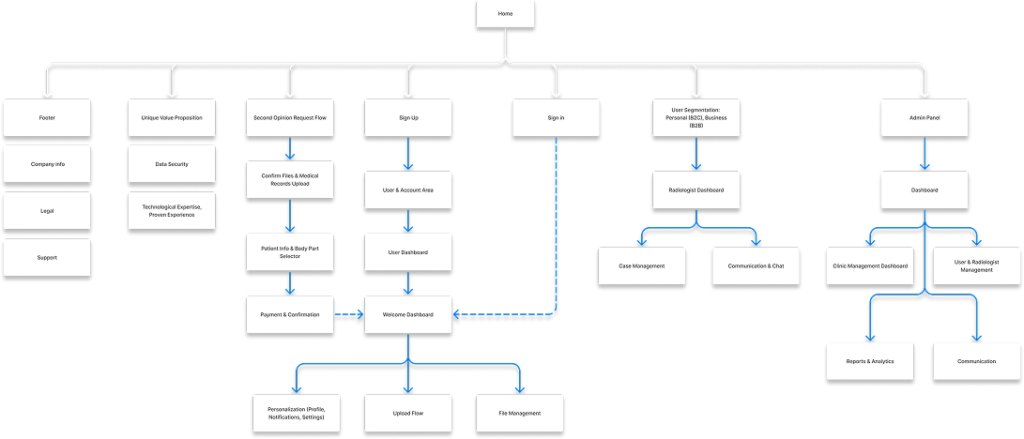
Mapped user flows and information architecture for all three portals. Built the design system first (colors, typography, components) before individual screens to ensure consistency across 70+ screens.
Moved from wireframes to high-fidelity designs after stakeholder and developer reviews.
Validation was conducted through structured stakeholder reviews with the client and development team at each design milestone. Remote usability testing with patients and radiologists was scoped for a post-MVP phase, aligned with the project’s freelance timeline and budget constraints. Research insights from the initial 9 interviews continued to serve as the primary reference for design decisions throughout.
03 — Key Design Decisions
Decision 1: The Split-Panel Reassurance System
Problem:
Patients drop off during upload because they do not understand what is happening or what comes next.
Solution:
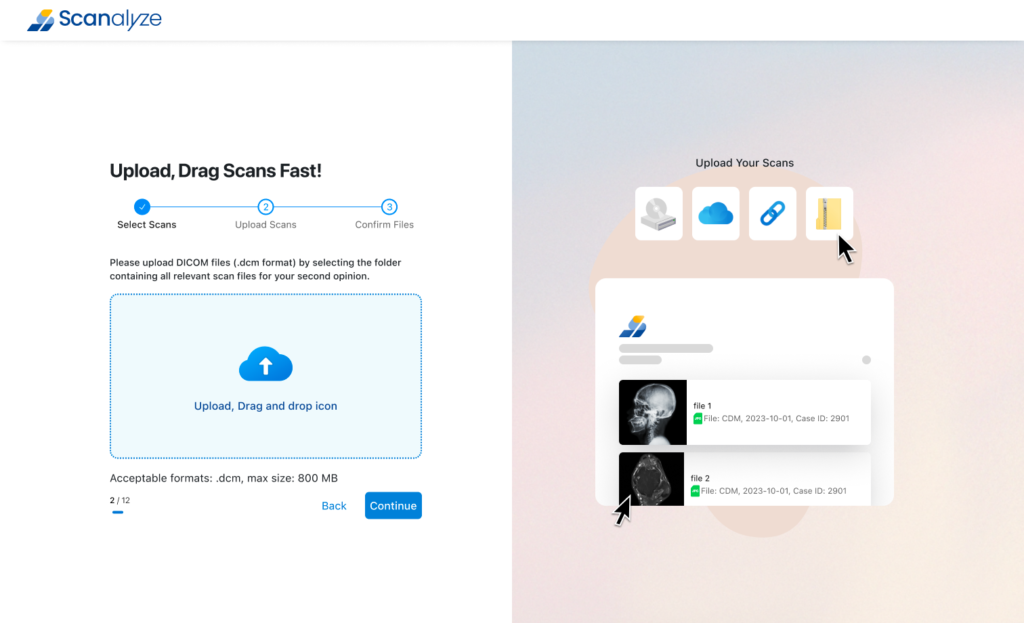
Every B2C screen uses a split-panel layout — action on the left, dynamic contextual help on the right. The right panel changes based on what the user might be anxious about at that exact moment:
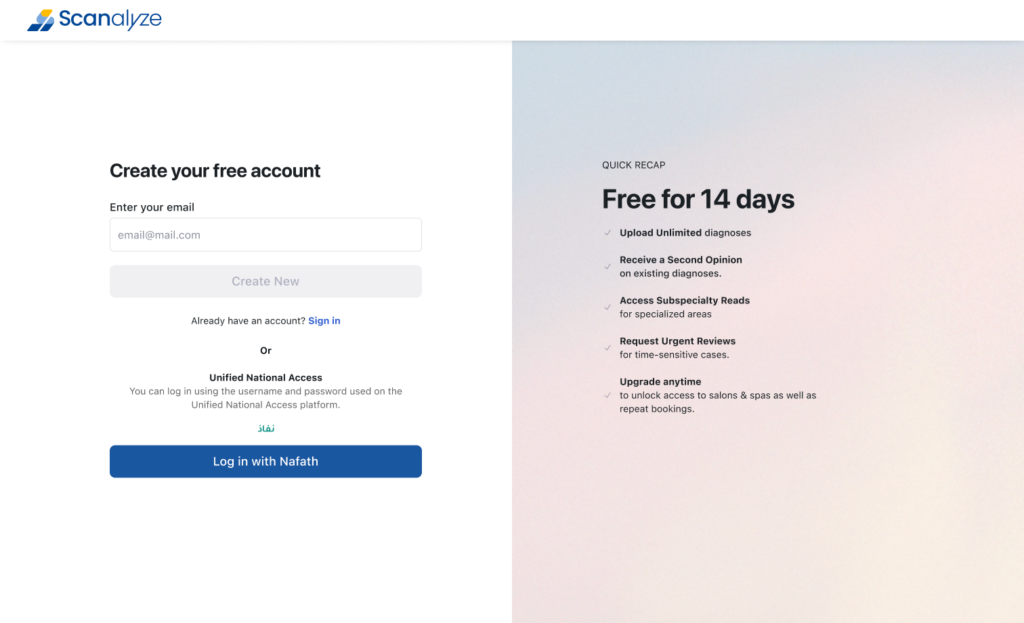
- Registration screen shows Free for 14 days with 5 key benefits
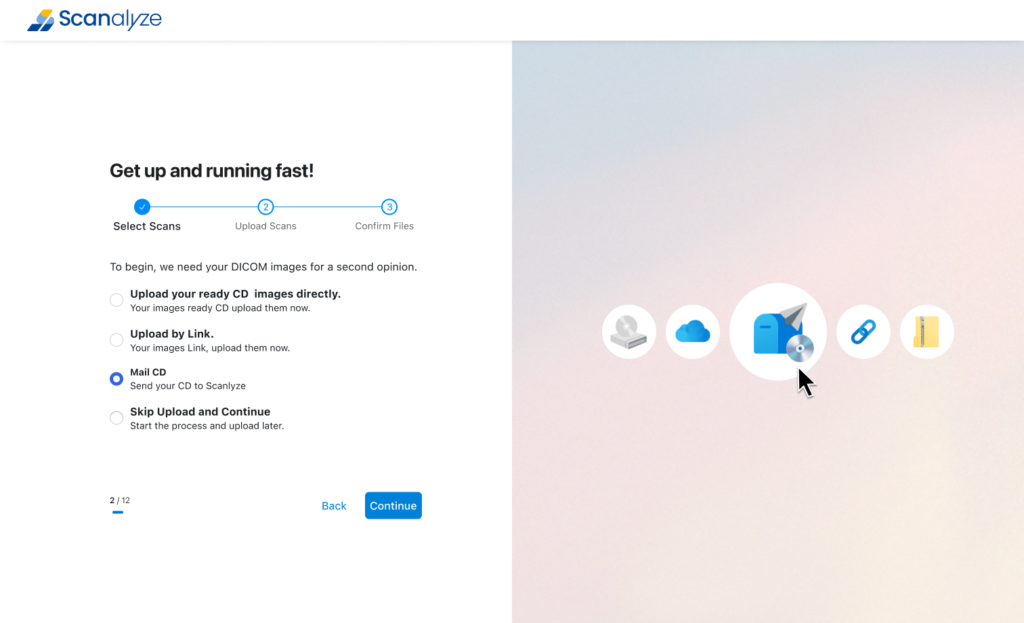
- Upload screen shows icons of all supported sources (CD, cloud, link, file)
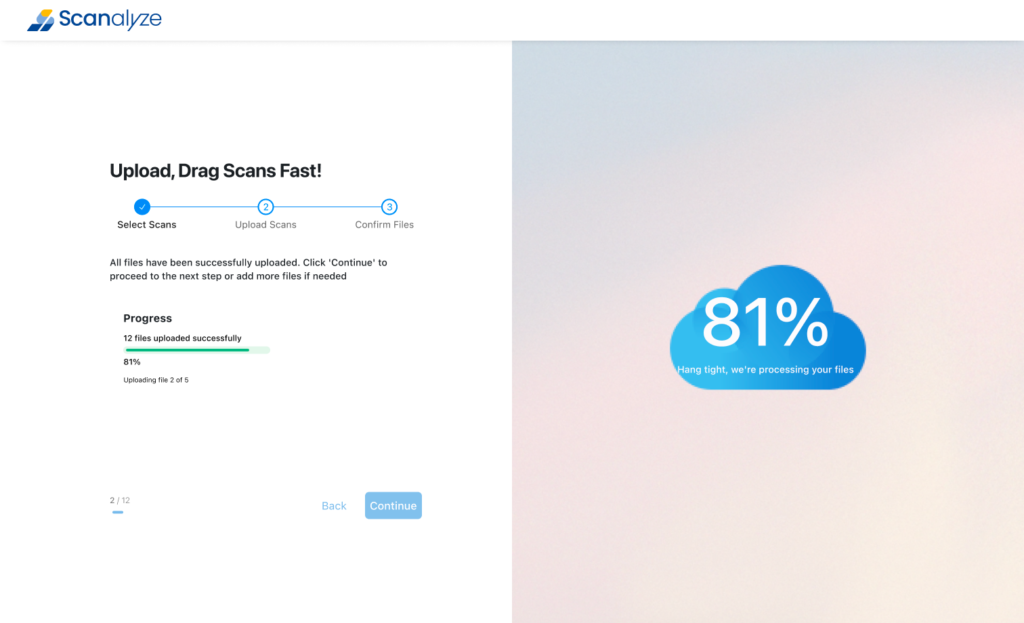
- Upload progress shows animated cloud with 81% processing message
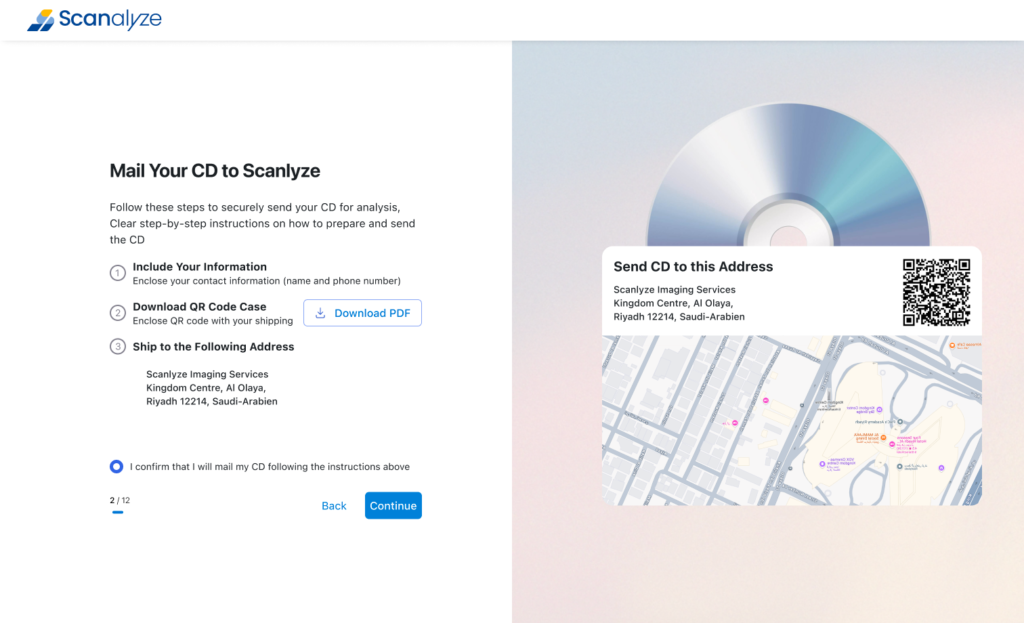
- CD mail screen shows QR code label + live map of Scanalyze address
- Second opinion flow shows persistent study summary card with scan thumbnail
Impact:
Designed to directly address the drop-off trigger identified in interviews: 100% of patients described feeling “lost” during upload on other platforms. The right panel eliminates that anxiety state at every friction point — without adding a single extra screen.
Decision 2: Solving the Physical CD Problem
Problem:
Many Saudi patients only have their imaging on hospital-issued CDs, and do not have a CD drive or technical knowledge to access them digitally
Solution:
Rather than blocking these users, I designed three parallel upload paths on a single selection screen:
- Upload directly — for patients who already have digital DICOM files
- Share by link — for patients whose provider has a digital system
- Mail your CD to Scanalyze — the platform physically receives the CD, digitises it, and makes it available in the patient account with SMS notification when ready
Impact:
67% of interviewed patients had imaging only on CD; 50% had no CD drive at home. Without this third upload path, the majority of the target user base would have been excluded at the first step. The CD mail flow converts a hardware barrier into a managed service, making the platform viable for the actual Saudi patient population — not just the digitally equipped minority.
Decision 3: Radiologist Workstation — Read and Report in One View
Problem:
Radiologists switching between a DICOM viewer and a separate report editor lose focus and waste time.
Solution:
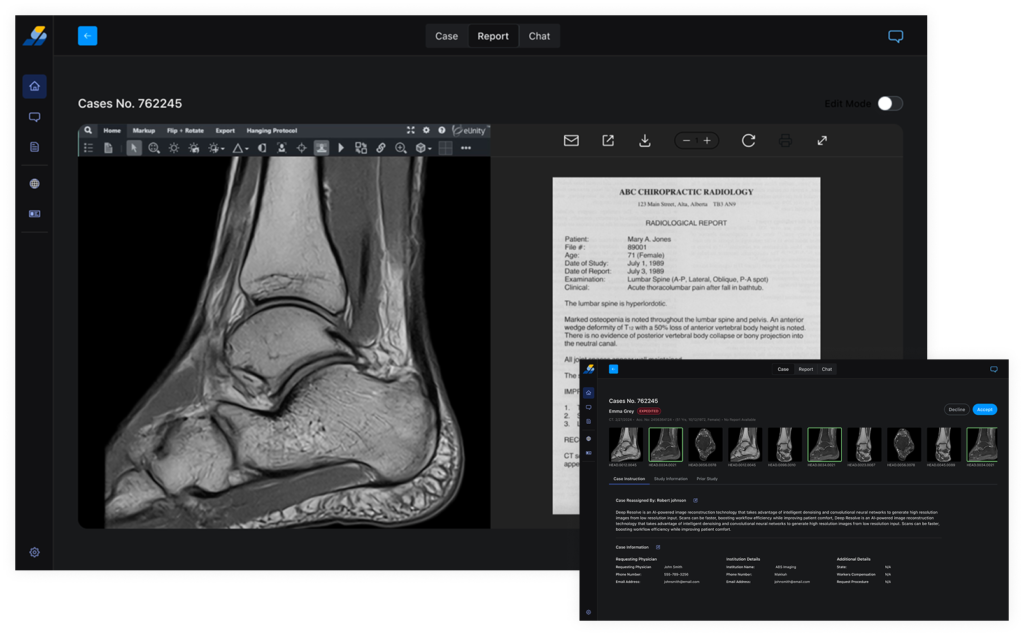
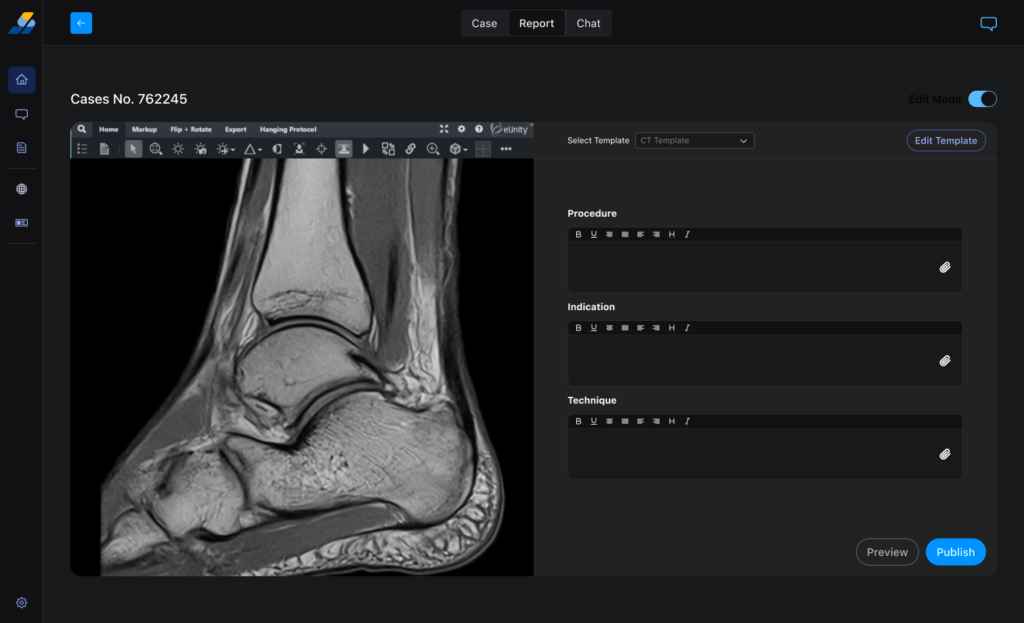
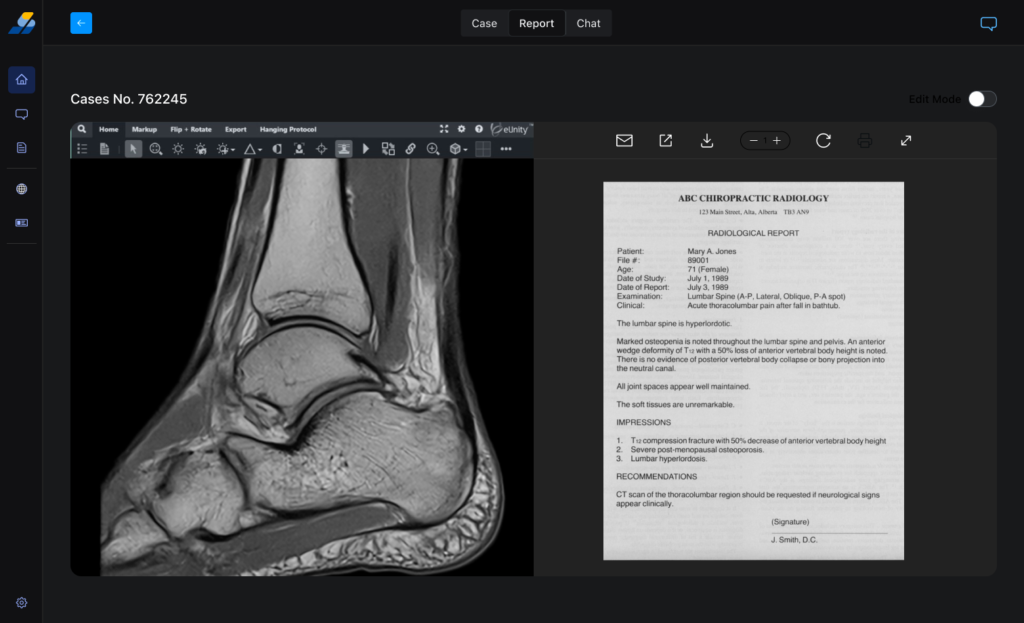
The Report mode screen puts the DICOM viewer on the left, structured report editor on the right — in a single browser view. No tab switching, no separate apps.
- eUnity DICOM viewer embedded in left panel with full clinical toolbar (markup, flip, rotate, zoom, brightness, annotations, measurements)
- Right panel uses a template system (CT Template selected) with independent rich-text editors for each report section (Procedure, Indication, Technique)
- Edit Mode toggle prevents accidental edits during initial review
- Preview and Publish buttons make the report lifecycle explicit
Impact:
Every radiologist interviewed switched between their viewer and report editor 12+ times per case. The split-panel workstation eliminates that context switching entirely — keeping radiologists in a single focused state from first image to published report.
04 — Designed for Saudi Arabia Specifically
Three design decisions that could only work in the Saudi market:
Nafath SSO Integration
The onboarding screen offers Log in with Nafath — Saudi Arabia national digital identity platform. For Saudi users, Nafath is already trusted for government and banking services. Offering it on Scanalyze reduces registration friction and identity verification risk for sensitive medical data.
Family Records Tab System
The Files dashboard has tabs: For Me / Son / Mother. This reflects Saudi cultural reality where one family member manages medical records for the household. Each tab shows Who Can Access per file — one user, multiple patients, individual-level permissions.
Mada Payment Integration
The payment screen shows Visa, Mastercard, Amex — and Mada, the Saudi national debit network. Mada is the dominant payment method for everyday Saudi consumers. Including it was essential for conversion.
05 — Full Deliverables
Three design decisions that could only work in the Saudi market:
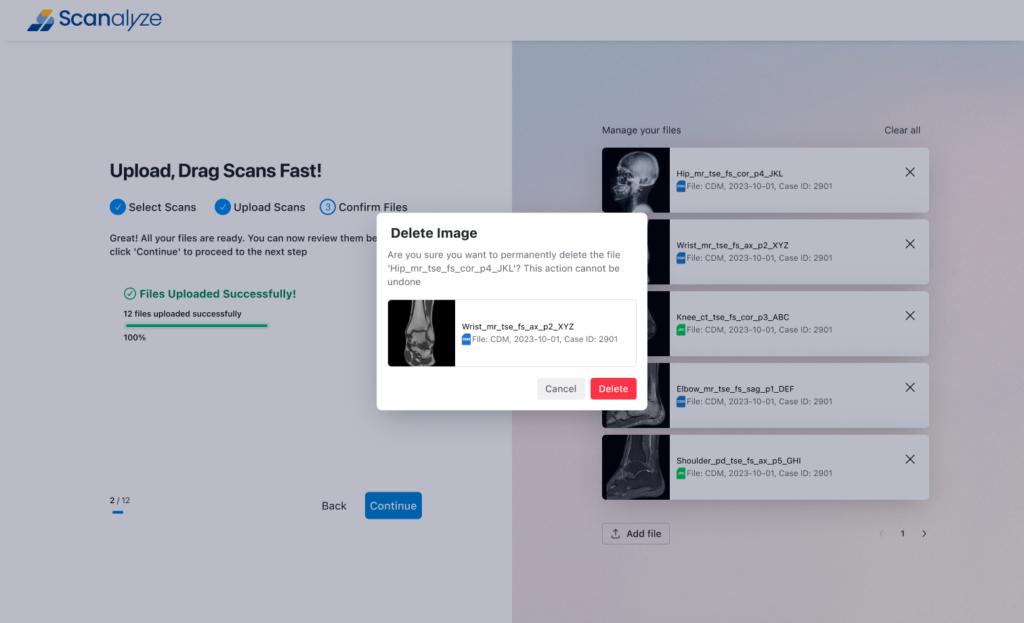
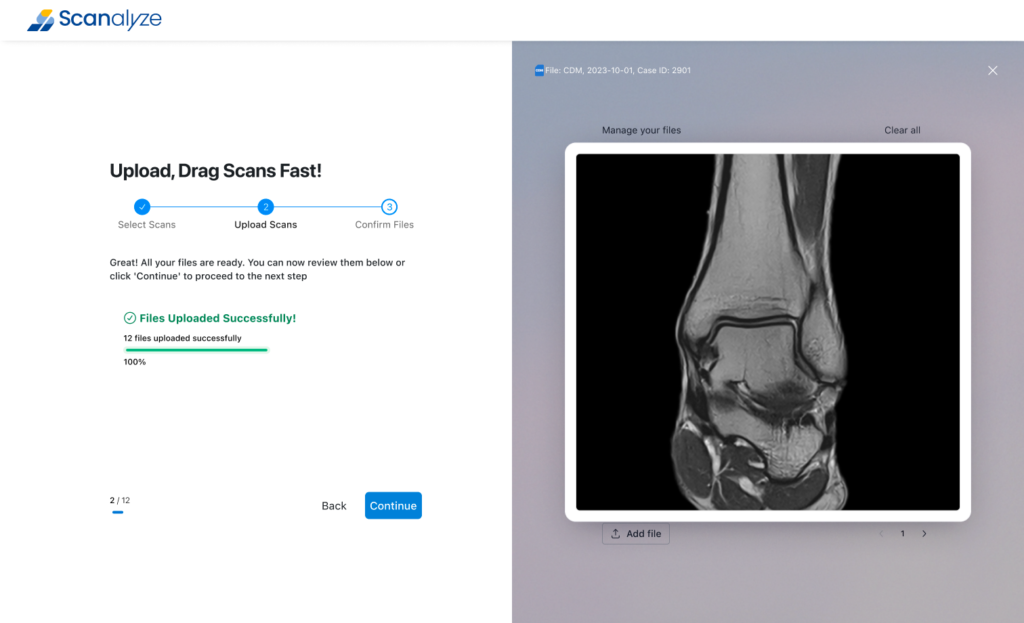
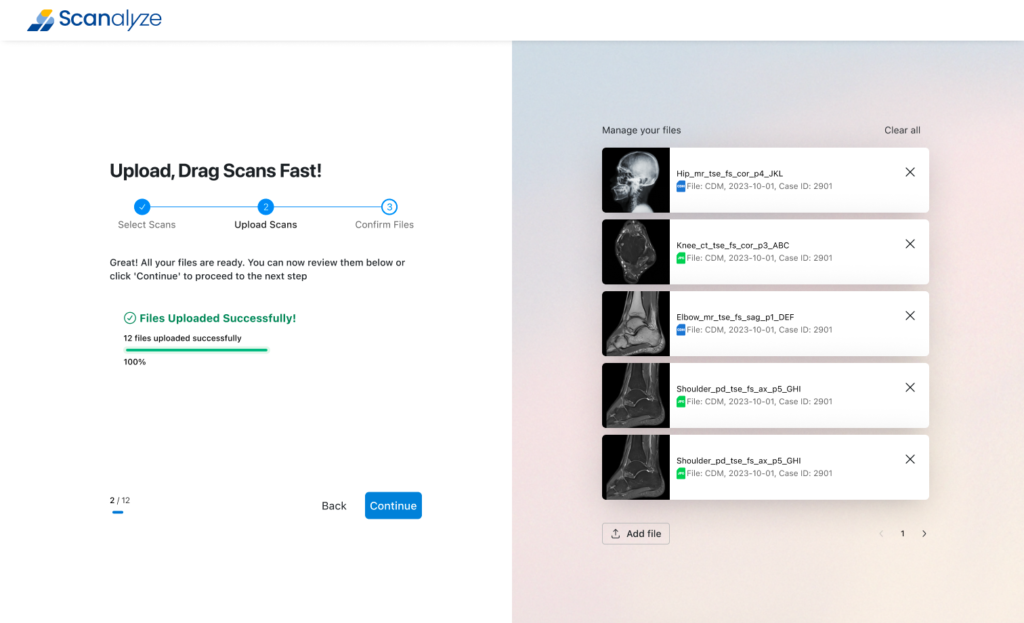
B2C Patient Portal
Onboarding (Nafath SSO + email/password), Upload (3-path: direct/link/CD mail), File Management (family tabs with access control), Second Opinion (4-step flow with visual body part selector), Payment (Mada integration), Celebration state (confetti + video modal)What they needDark mode for low-light reading, case deadlines visible at a glance, structured report editor, no wasted clicks
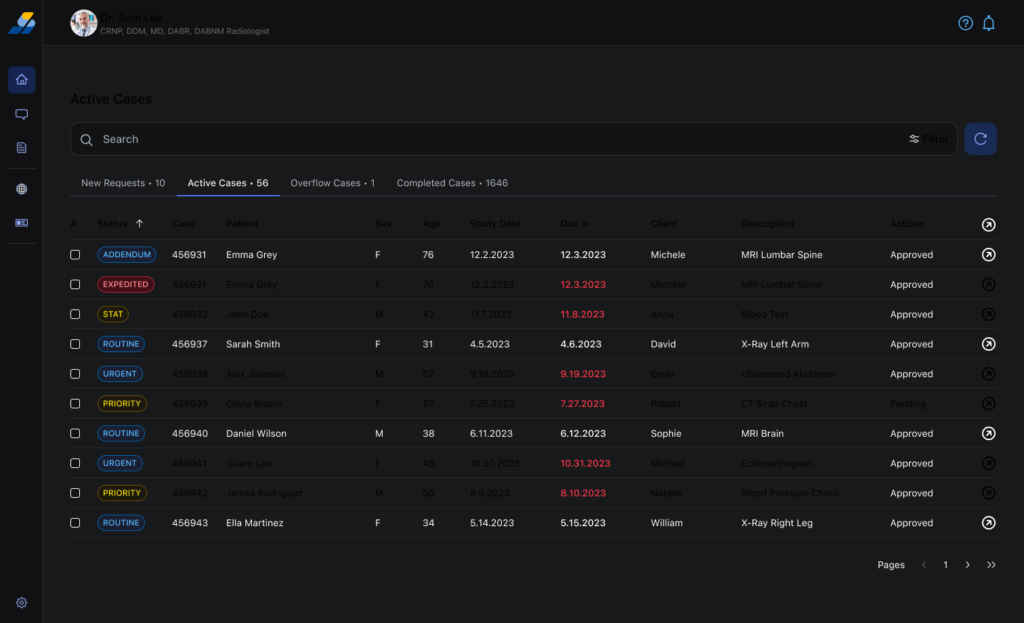
Radiologist Workstation
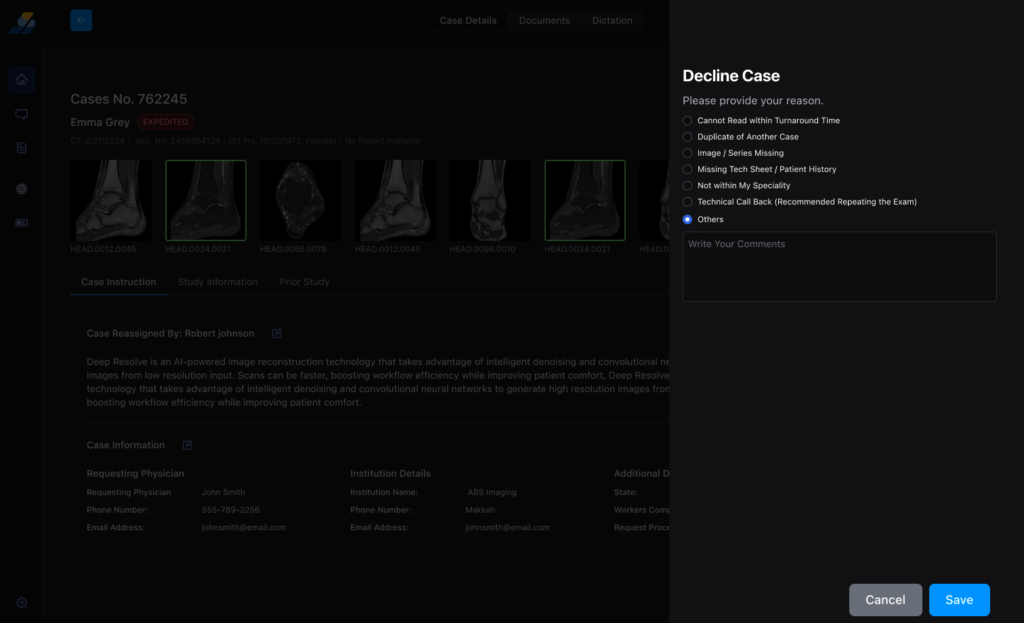
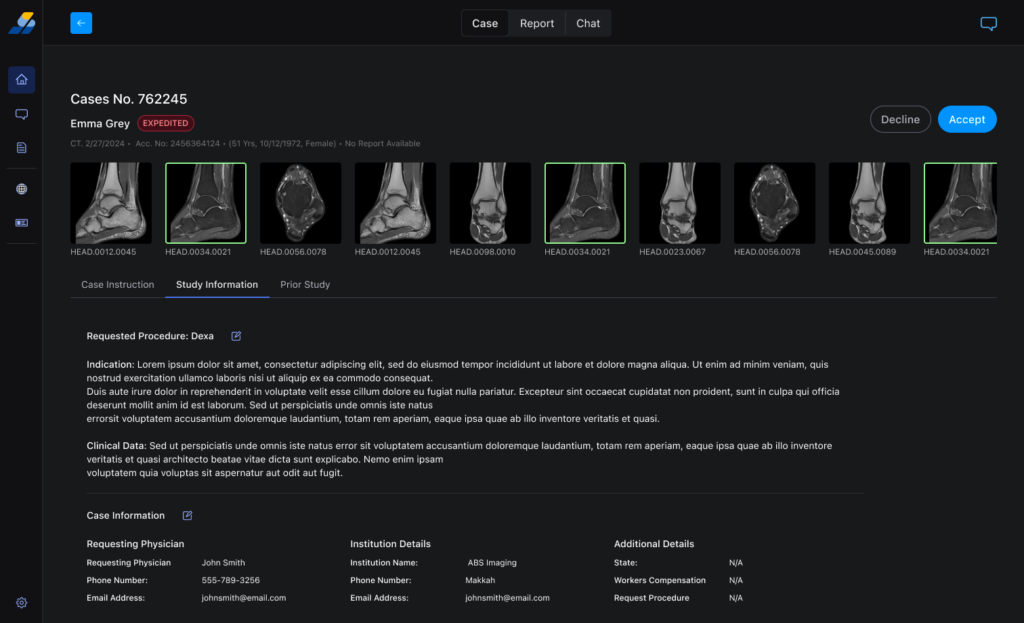
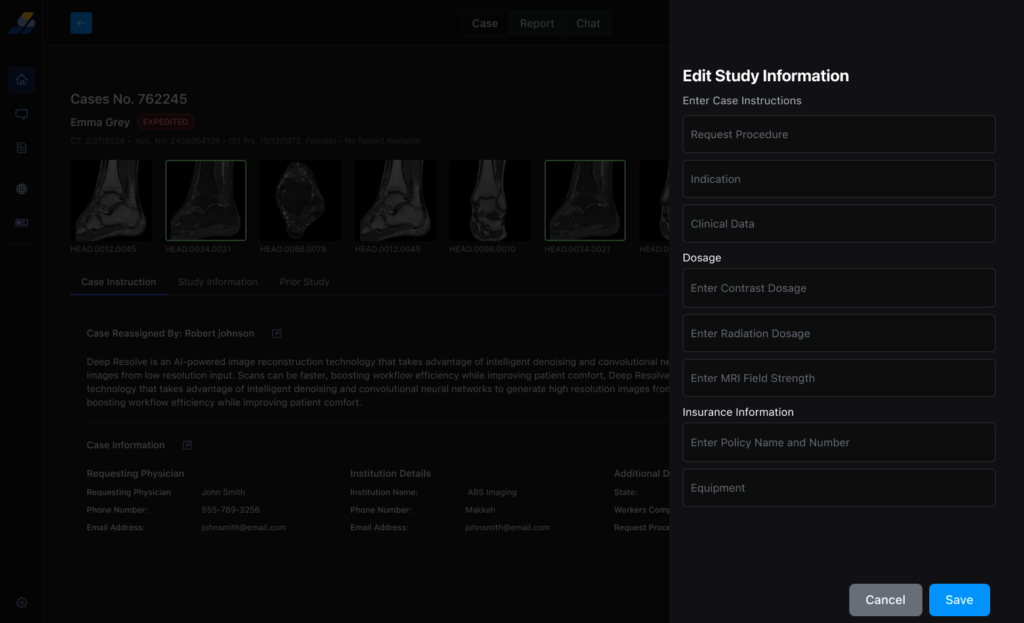
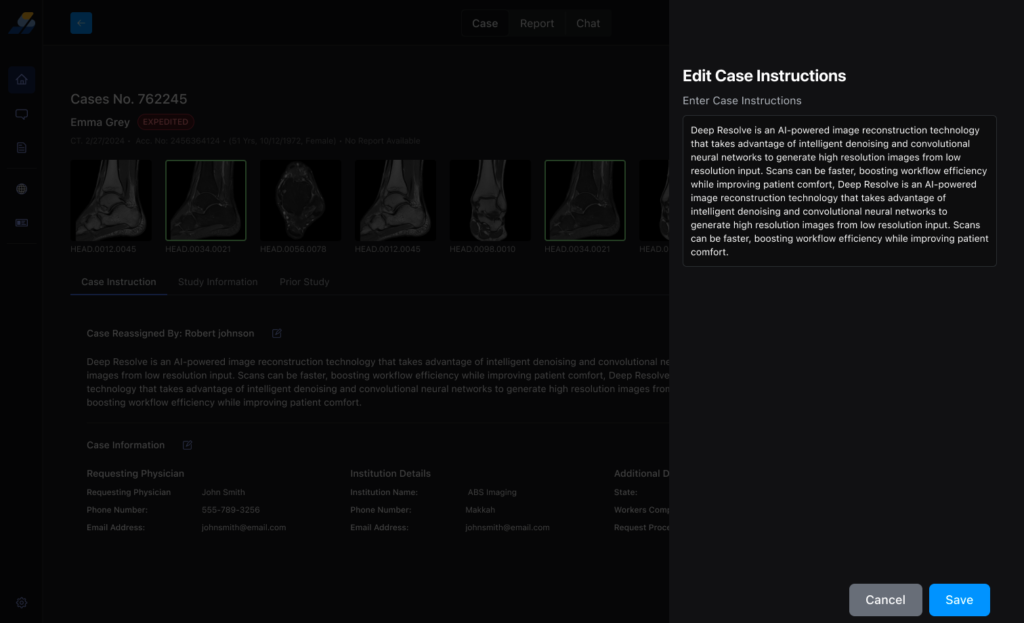
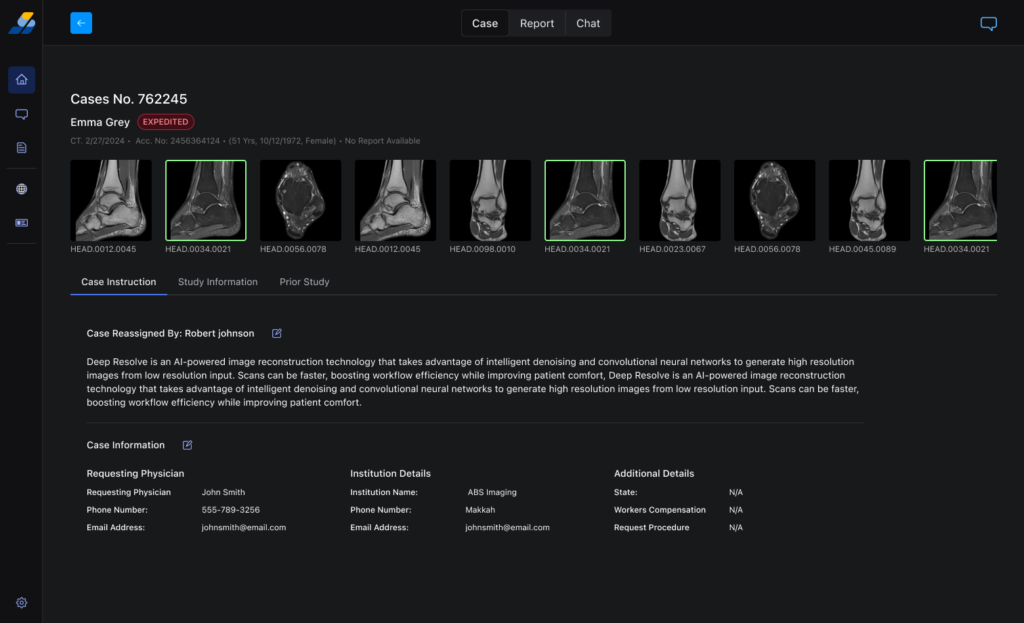
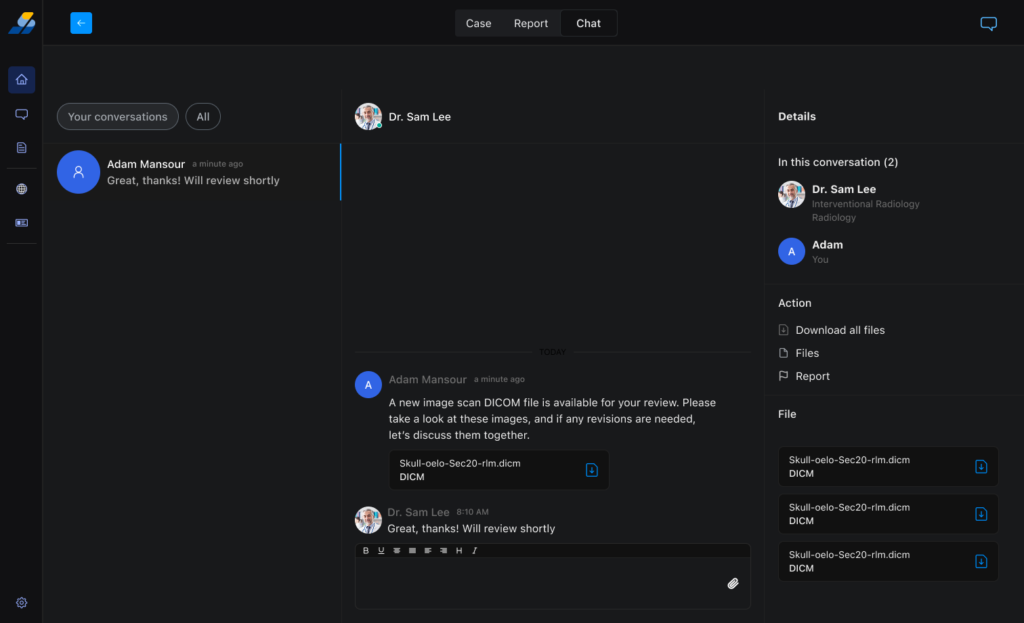
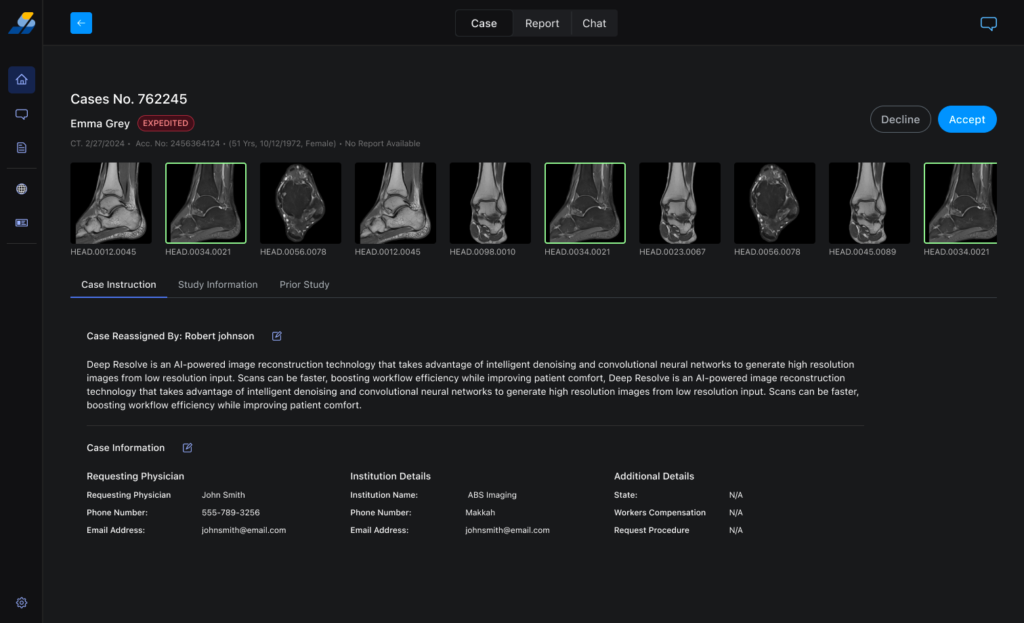
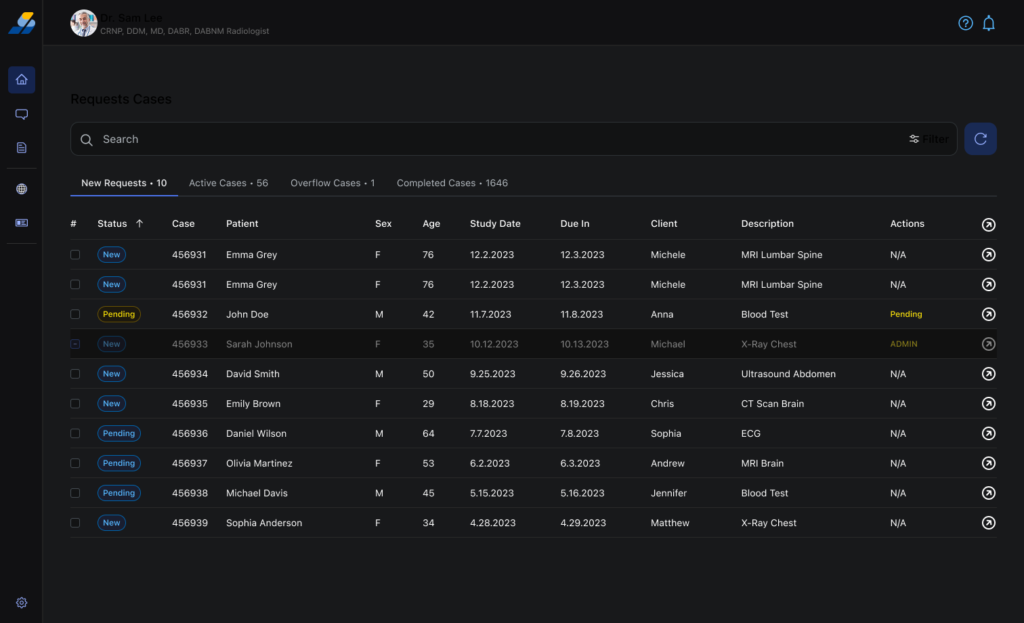
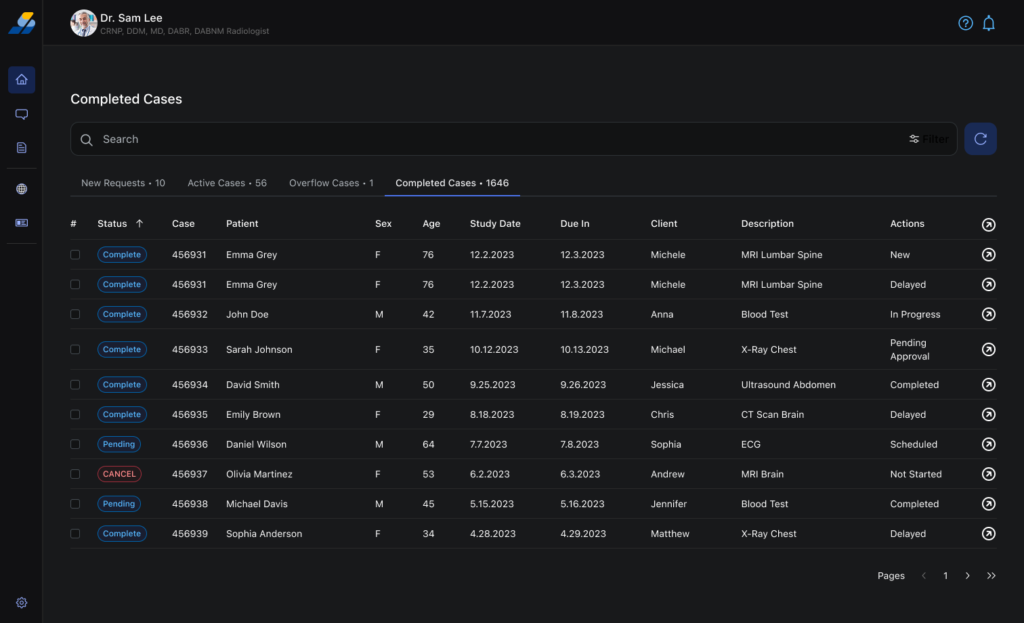
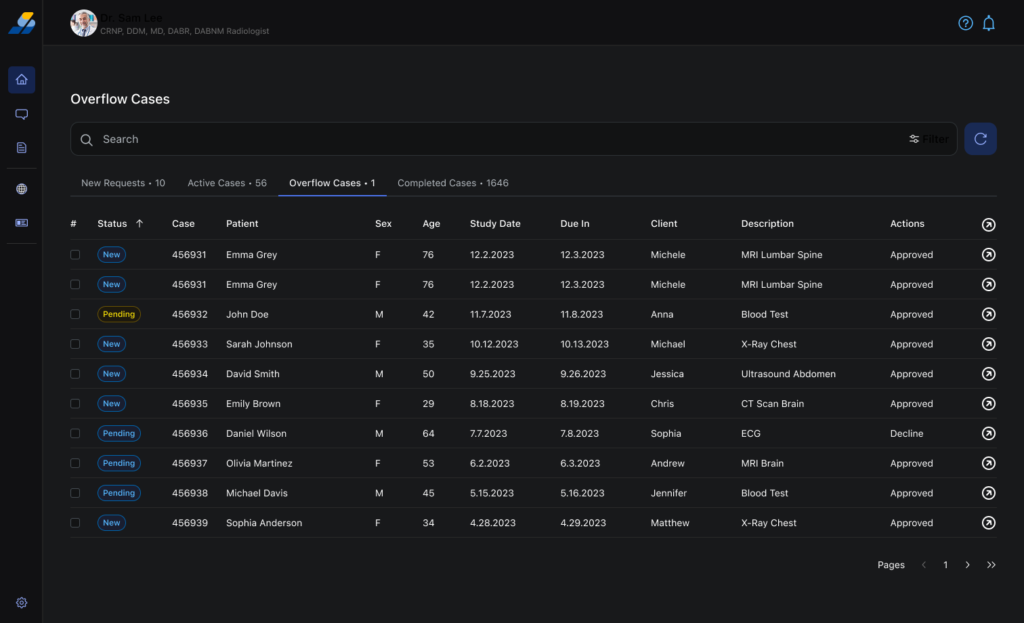
Identity display (credentials visible), Worklist (4 tabs: New/Active/Overflow/Completed with Due In column), Case Briefing (filmstrip + 3 tabs), DICOM Viewer + Report Editor (side-by-side in one view), Messaging (3-panel with case action sidebar)
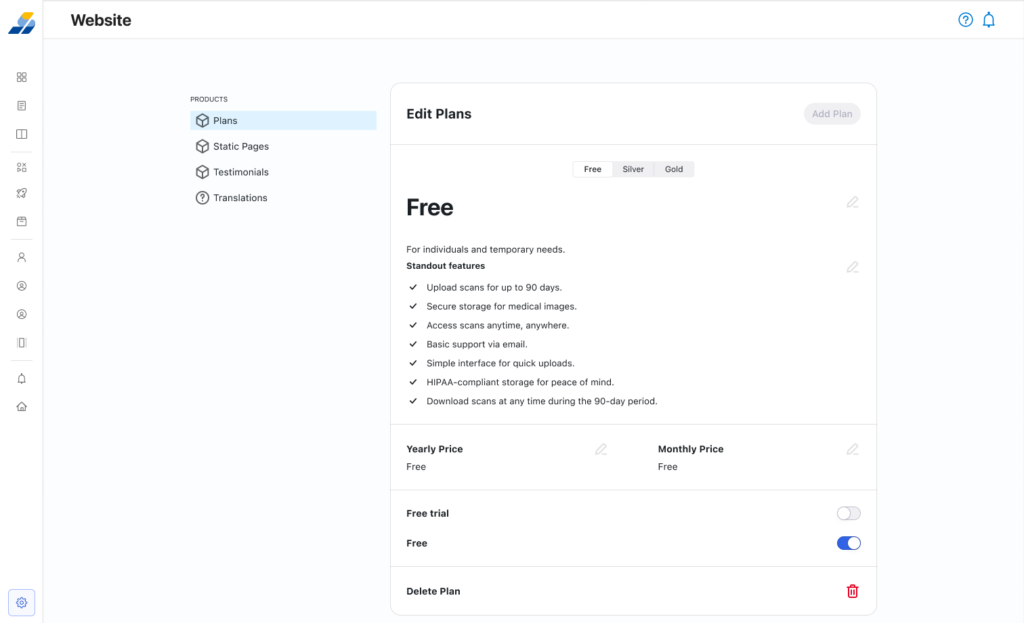
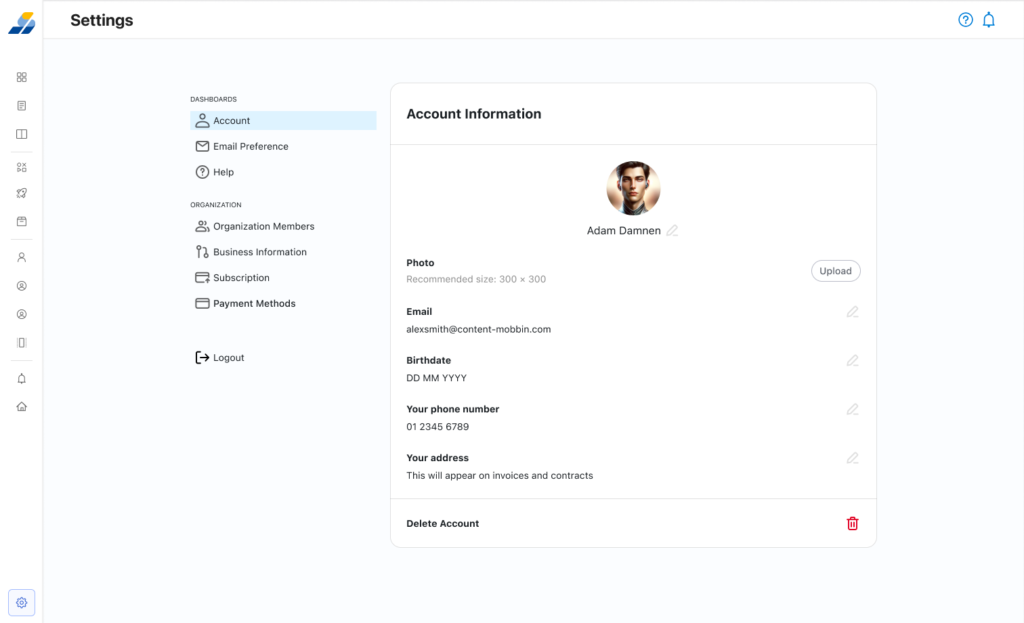
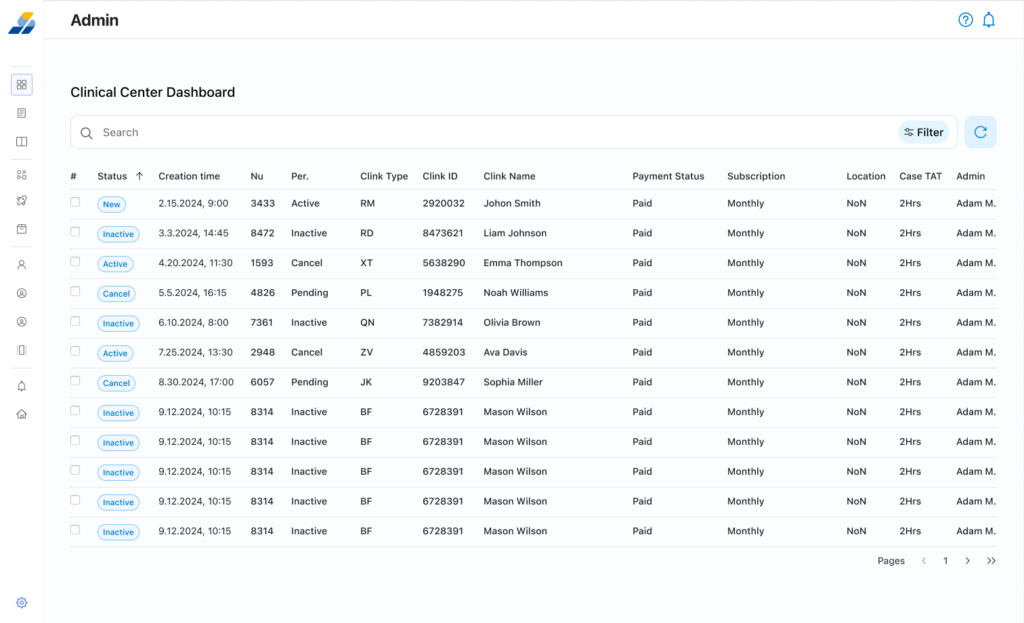
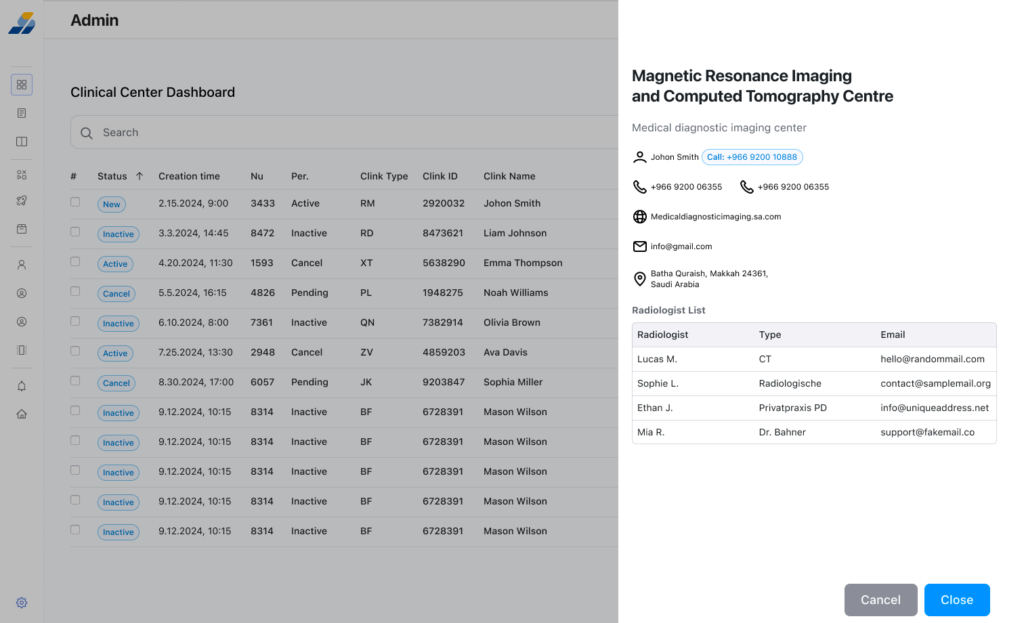
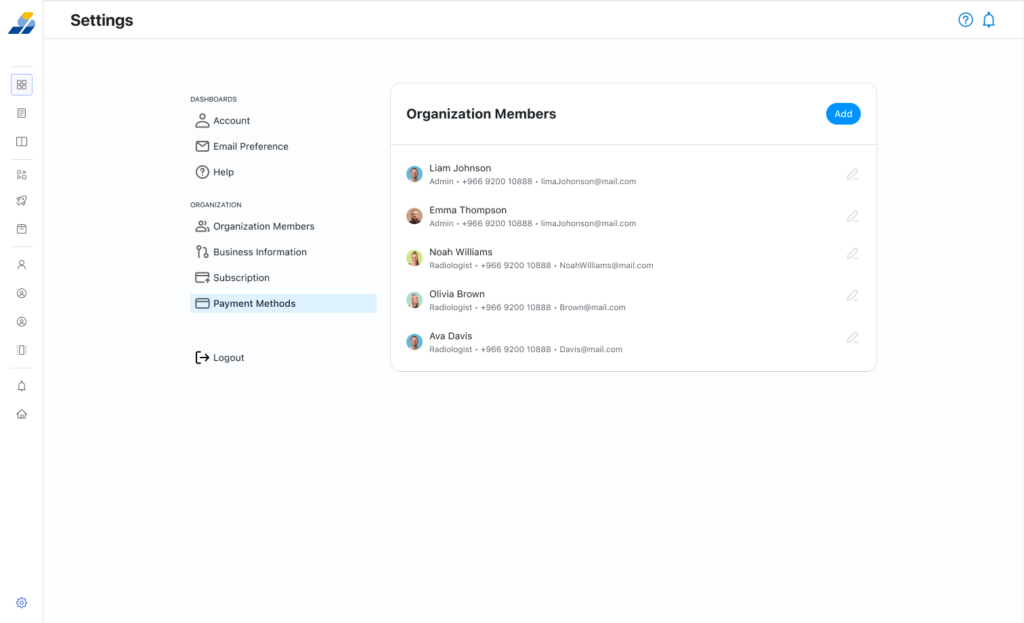
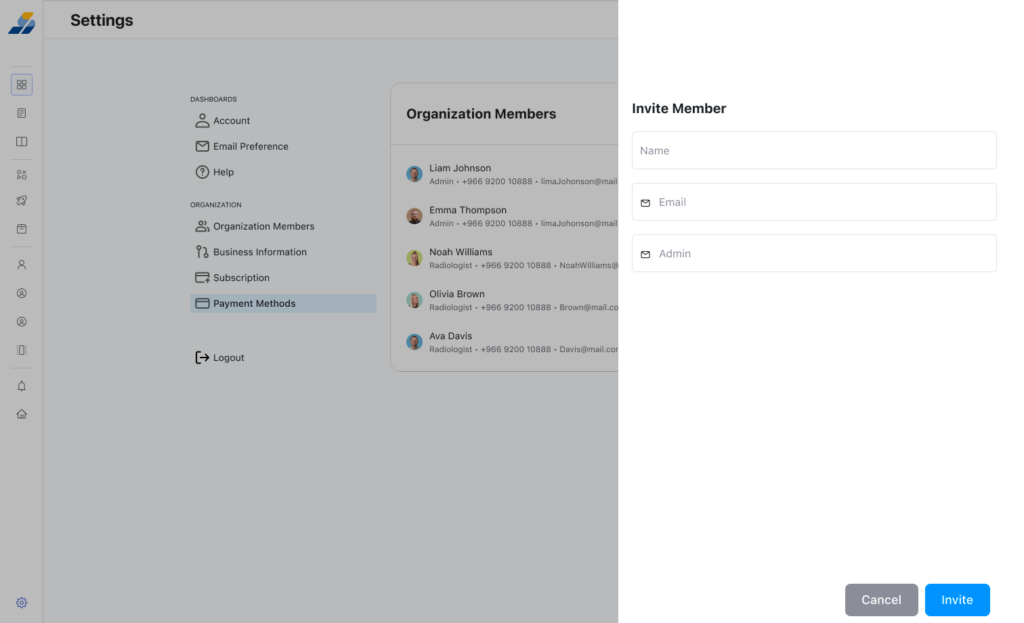
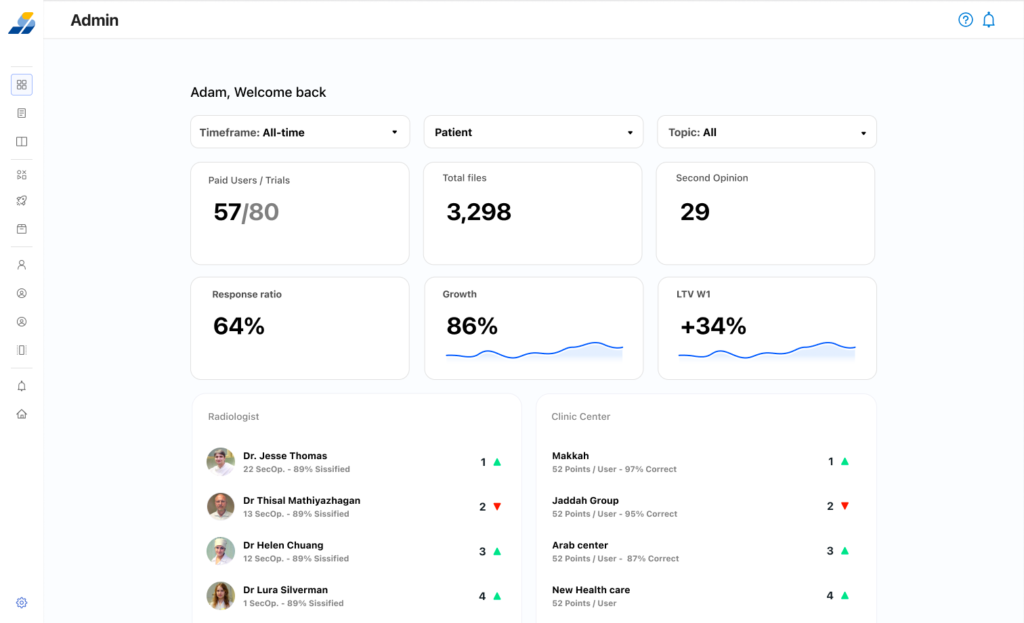
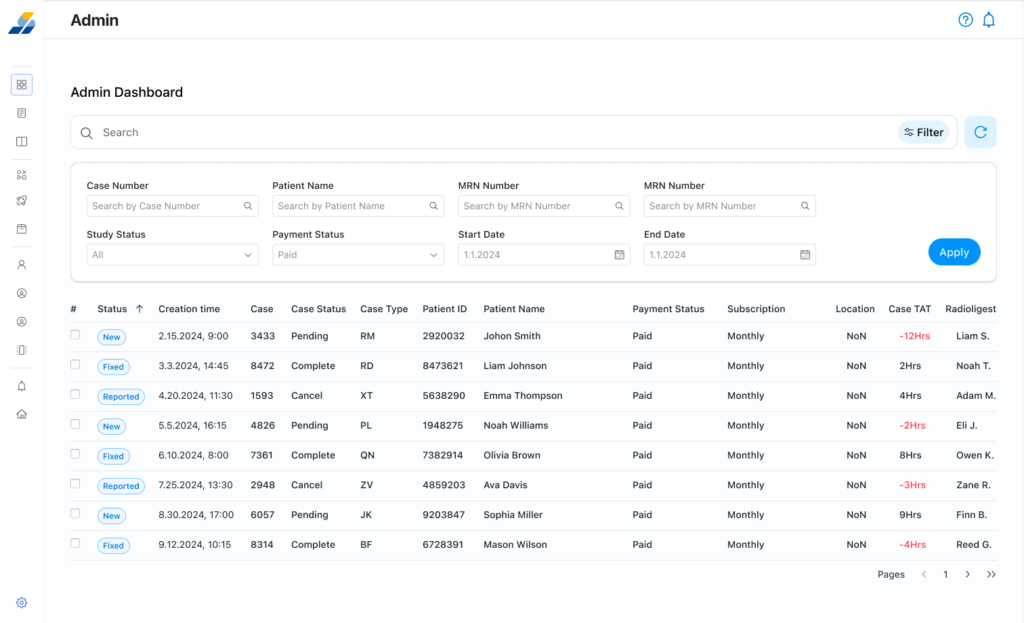
Admin Dashboard
User management, case assignment, system monitoring
Design System
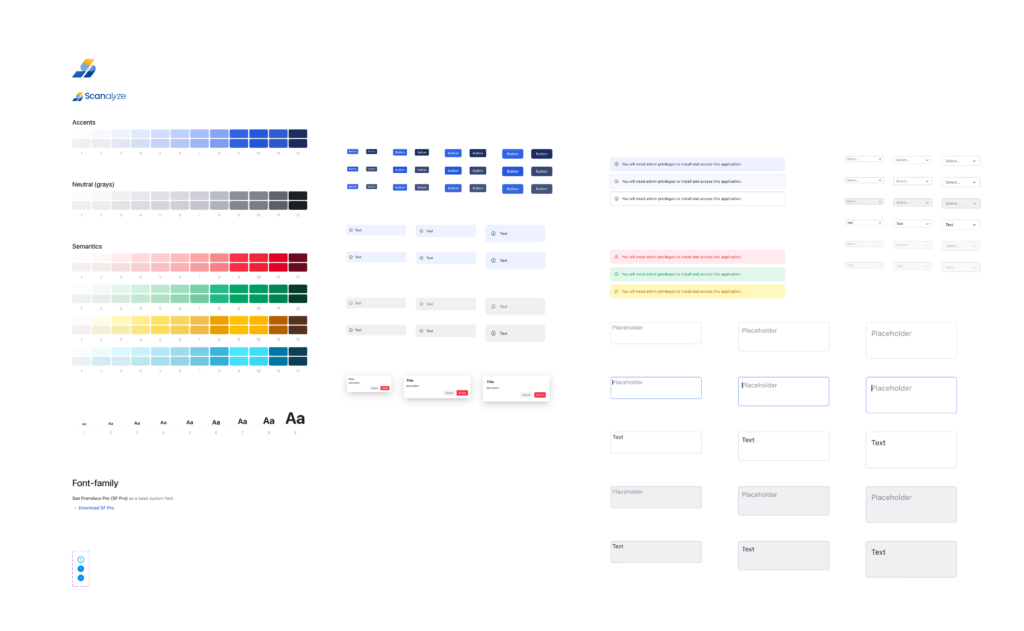
SF Pro typography, 12-step blue scale + 12-step gray scale + semantic colors, component library (buttons, inputs, alerts, modals) in light + dark mode
Why This Project Matters
Scanalyze is the most technically and culturally complex project in my portfolio — and the one I’m most proud of.
It required me to learn a clinical domain from scratch, earn trust from radiologists skeptical of browser-based tools, and design for a market where the physical world (a hospital-issued CD) was the biggest UX problem. I worked solo, made every design decision with consequence, and delivered a system ready for development.
If you’re hiring a designer who can navigate ambiguity, work independently in unfamiliar domains, and deliver production-ready work — this project is the evidence.